Community map series / 01
Section 1
Section 1 landscape preview in the approved visual style. Accurate lot-number and street-name overlays remain unfinished.
Discover the landscape, review the subdivision sections, and help shape the next generation of the Falls of Rough community map.
Explore all three sections in our landscape presentation style, with the Rough River, trees, paved roads and parcel outlines. Use the lot index to review source-read numbers and ownership markings.
Section 1 landscape preview in the approved visual style. Accurate lot-number and street-name overlays remain unfinished.
The approved Section 2 landscape presentation, with riverfront parcels and green/red styling. Review source-read lot details separately.
Section 3 landscape preview in the approved visual style. Accurate lot-number overlays remain unfinished; source records are available for review.
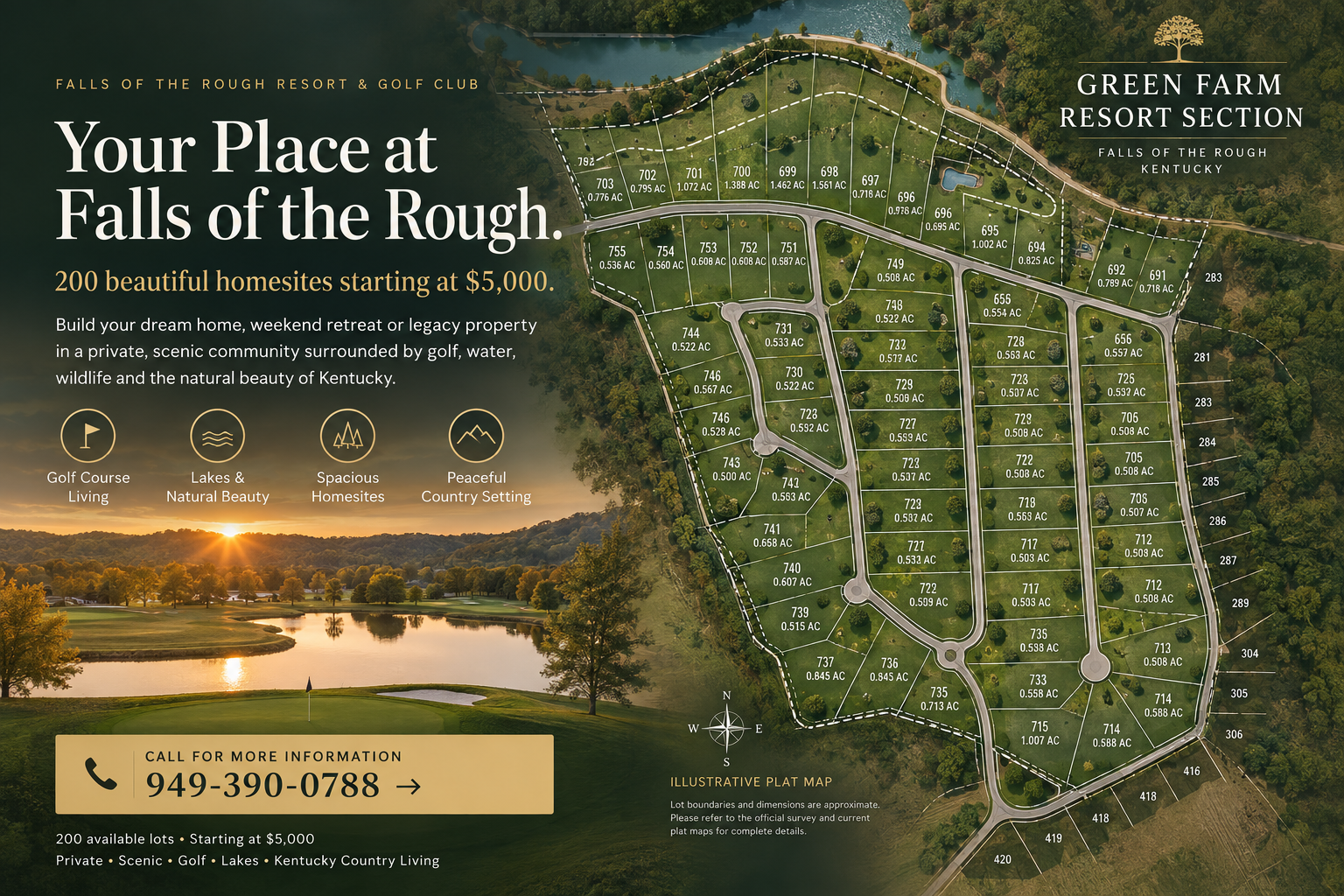
Landscape presentations are illustrations. Boundaries, in-image numbers and green/red colors are not verified parcel or inventory records. Confirm the specific lot with our team using the source-read review index. Lot-specific 3D views remain a later phase.
Start with the aerial overview to see the golf course, roads, waterways and surrounding landscape. Select a section to review its inventory instructions and add a correction. Section boundaries have not yet been geographically aligned with this imagery.
This first release connects an aerial overview with section information and owner review notes. Future releases will add verified clickable lot boundaries, lot-specific information and home previews.
No home configurator or parcel-level 3D view is available in this release. Prices, access, utilities and suitability require individual confirmation.
Explore the landscape today. Illustrated section previews are available above. Existing-home photography and individual homesite profiles will be added as the map develops.
Our next releases will connect the section plats to verified lot records, then add photographs, views and home concepts.
Illustrative community artwork. Not an official plat, current inventory map or completed-home photograph.
The ownership team can use this panel to identify a correction, confirm a lot, or locate a home photograph. Click a point on the aerial first to attach a location reference. You can select a section without assuming its boundaries are already mapped.
Notes are saved on this device when browser storage is available. They are not submitted, shared with the team or applied to the public map automatically. Copy or download them and send them to Matt for review.
417 and 681: owner-reported sold; sale dates pending.
518, 519, 520 and 525: ownership holds.
528: confirm ownership before adding.
Unmarked parcels are not automatically classified as sold.